Overview
Key jargon:
- Render - Displaying data to user.
- Adapter - Converting data into a format ProtVista can use.
- Attribute - Settings/piece of data attached to an element.
- Payload - Data sent or received in a request.
- Schema - Description of what type of data can be allocated where.
- Mount - Adding a component to a page.
- Intent - What you want a system to do.
- Representation - Way something is shown/described.
ProtVista is a web component — a custom HTML element, <protvista-uniprot> —
that draws protein sequence features as horizontal tracks aligned to the
amino-acid sequence: domains, variants, binding sites, structure coverage,
AlphaFold confidence, and more. You give it a UniProt accession (a protein
identifier such as P05067) and, optionally, a config describing which
tracks to show and where their data comes from.
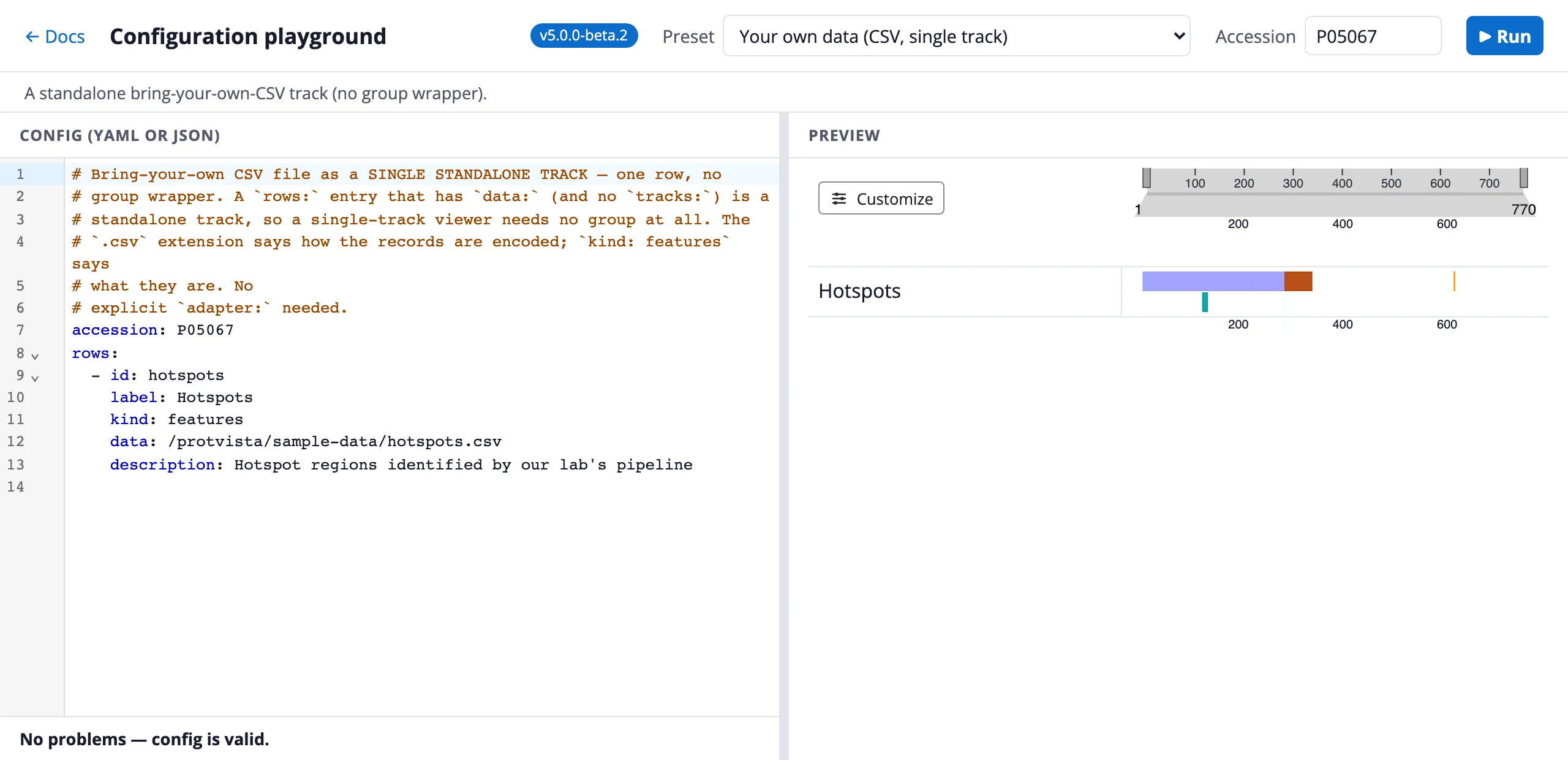
The playground: edit a configuration on the left, see it render on the right.
Beneath the tracks, ProtVista also renders the protein’s known 3D structures, so a feature you can see along the sequence can be looked at in space. The 3D view is rendered by Mol*, reached through Nightingale’s structure component:
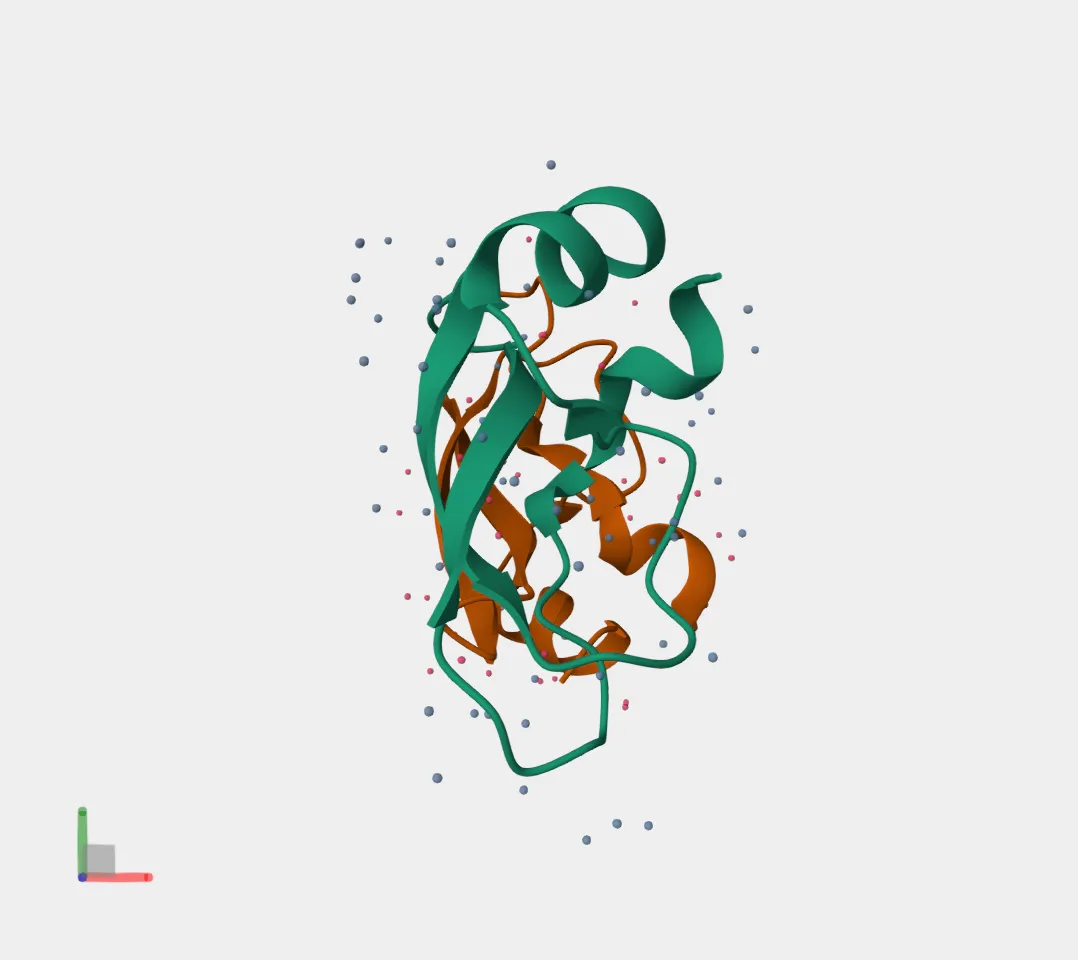
The 3D pane beneath the tracks, showing the experimental PDB entry 1AAP for P05067.
Because it’s a standard custom element, it drops into any page — plain HTML,
React, Vue, Angular — with a <script> tag and no build step. You do not need
to know the underlying rendering library or name any internal components: you
describe what to show in a small YAML or JSON document, and ProtVista resolves
that to the right components, data adapters, and layout for you.
Who it’s for
Section titled “Who it’s for”If you’re a scientist who wants to look at a protein without writing code, open the playground, type an accession, and explore. If you’re a bioinformatician bringing your own annotations, you can load a CSV, TSV, JSON, or BED file alongside the live UniProt tracks — see Load your own data. And if you’re a developer embedding the viewer in an application, add the element, author a config, and wire up events; start with Embed the viewer.
Find your path
Section titled “Find your path”New to ProtVista? Take the end-to-end Tutorial, which walks from an empty page to a custom, themed viewer in four steps. For the pieces on their own, see Embed the viewer and then Author a config. Bringing your own data? Go straight to Load your own data.
For more specific questions:
- What does each track type draw? See Built-in track kinds.
- How does a config relate to what a provider supplies? Read Configuration vs data.
- Validating configs or working at scale? Point your editor at the config JSON Schema.
- Need more than the built-ins? See the Escape hatches.
- Something not rendering? Check Troubleshoot errors.
Tools & resources
Section titled “Tools & resources”- Playground — edit a config live, see it render, share it via a link.
- Playground — dev examples — the same, seeded with tricky proteins for eyeballing edge cases.
- Starter Kit — a no-build template repository to copy and go.
- Feature record schema — machine-readable schema for bring-your-own data.
- Source & issues — component source, schema, and tracker.
Licensed under CC BY 4.0.
This work was supported by the Research Software Maintenance Fund, managed by the Software Sustainability Institute and funded by UKRI grant reference AH/Z000114/1.